Keep the played Chop in view with Follow
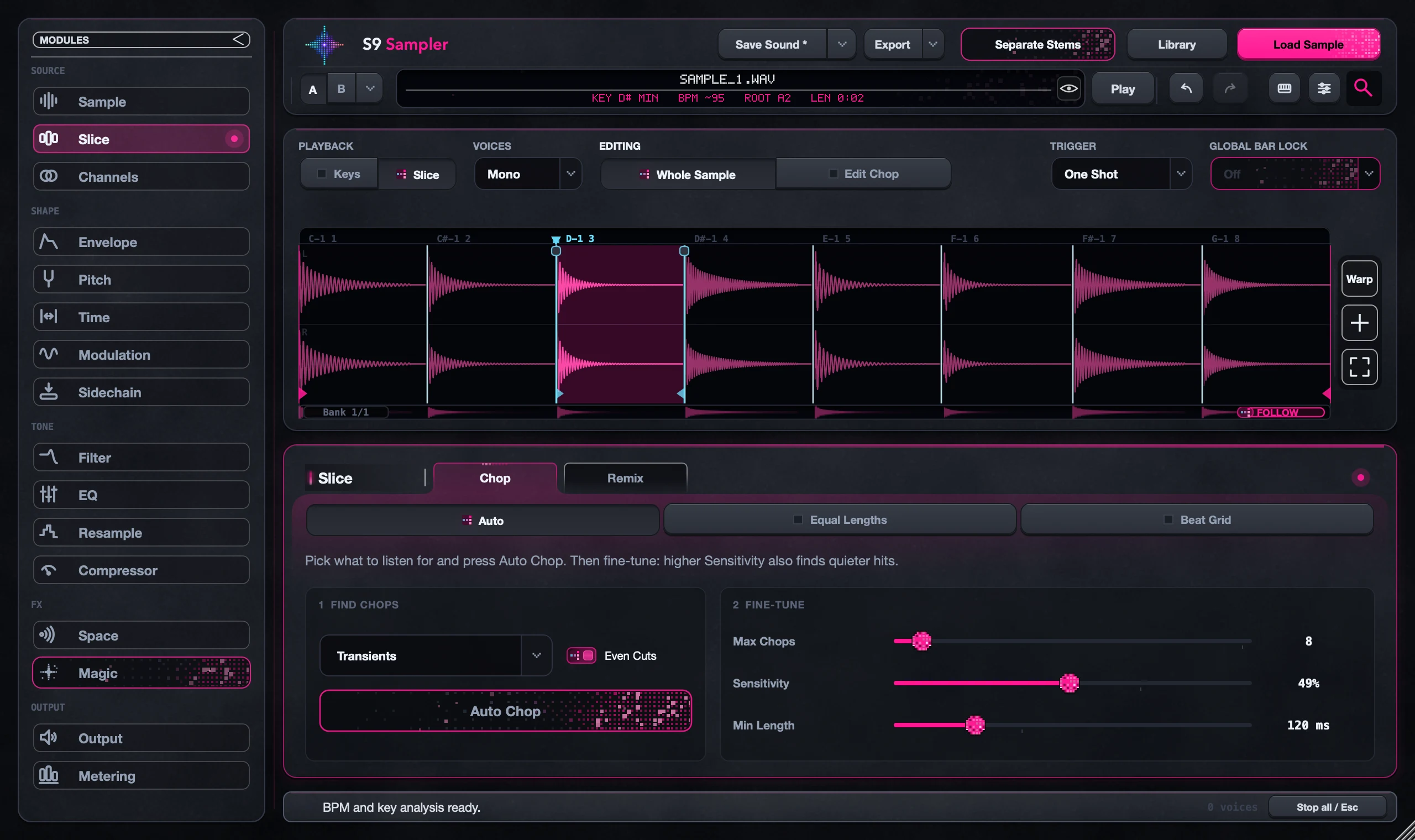
Turn on Follow and each Chop or Branch you play scrolls into view at your current zoom. It jumps to new notes only, so a long held note won’t keep pulling the view back.
Handy when your keyboard plays Chops across a sample wider than the screen. Follow only moves the view; it doesn’t change what you’re editing or what a key plays.
For S9 Sampler 0.1.6 (paid beta). More help inside the app: Help & Shortcuts → Waveform & cuts.
Step by step
Set your zoom
Zoom in enough to see the cuts you care about.
Turn on Follow
Click Follow on the waveform and play a Chop outside the view. It scrolls into sight.
Look around freely
Scroll, zoom or edit by hand. The view stays there until you play a new note.
Turn it off
Switch Follow off when you want the view to stay put while you play.
Good to know
Long Chops
In Keys, or with a Chop wider than the screen, Follow jumps to where the sound starts. It doesn’t scroll through the whole phrase.
Seeing isn’t editing
A Chop in view isn’t automatically selected for Edit Chop. Check the Editing row.
7 days, all features, no card, no automatic charge.