Choose which Chops feed a Remix pattern
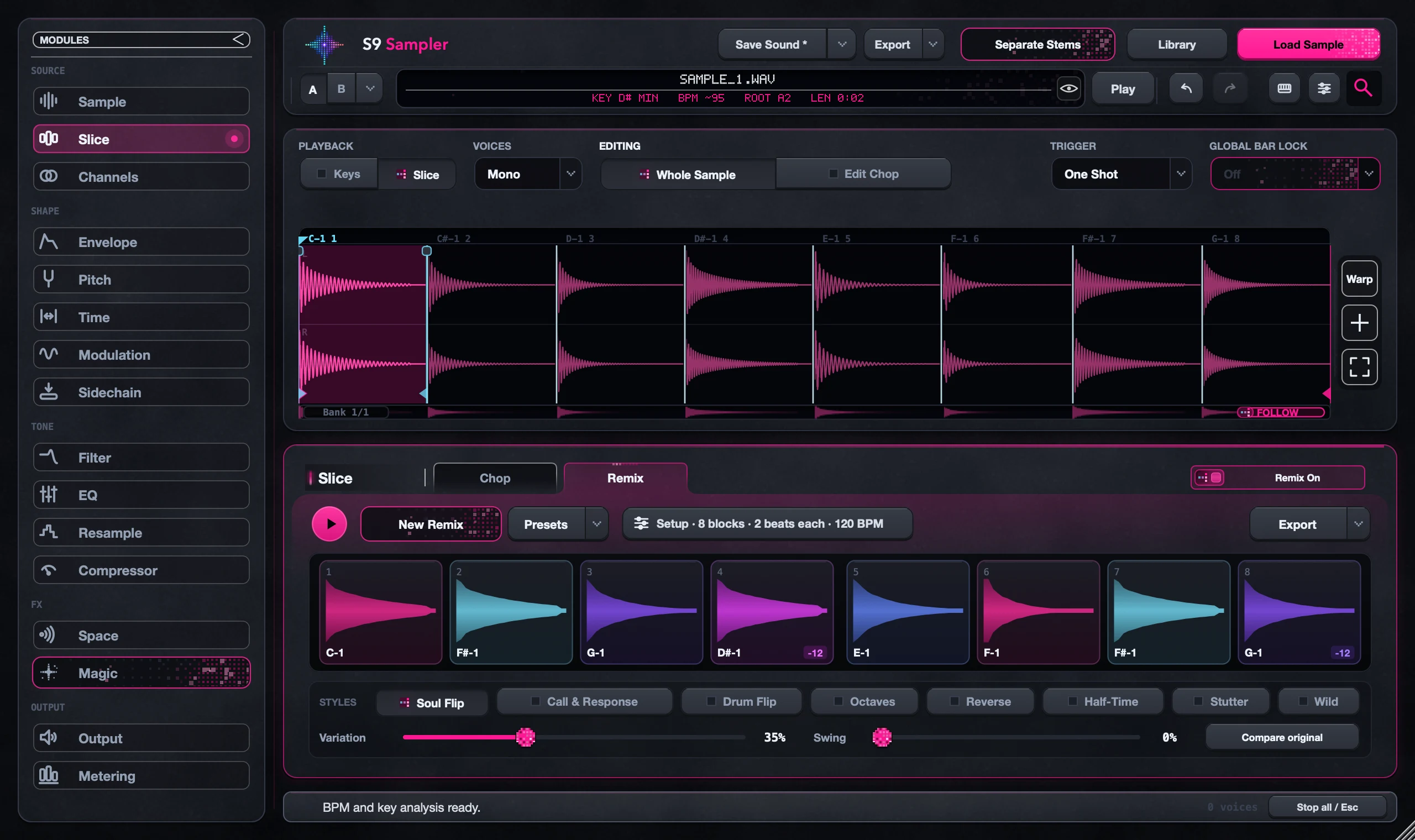
Open Setup in Remix to choose the sounds the pattern can use. All Banks with Spread out pulls Chops from across the whole sample. Nearby keeps a small group of neighbouring Chops. Set this before you start changing styles.
This matters with long samples where your best moments sit far apart. A pattern can only use the Chops you give it.
For S9 Sampler 0.1.6 (paid beta). More help inside the app: Help & Shortcuts → Remix.
Step by step
Find your favourite parts
Play through your Chops and note where the good ones are.
Open Setup
In Remix, open Setup to choose your sounds, pattern size, block length and tempo.
Wide or close
Choose All Banks and Spread out to reach the whole sample, or Nearby for a tight group. Then choose New Remix.
Keep what works
Lock the blocks you like. If the wrong material keeps coming back, change Setup rather than Variation.
Good to know
Blocks aren’t bars
How long the pattern lasts depends on block length and time signature. Check the bars shown on the pattern.
Your Chops stay put
Remix arranges your Chops. It doesn’t re-chop the sample.
7 days, all features, no card, no automatic charge.