Find, save and reset a Lava bass sound
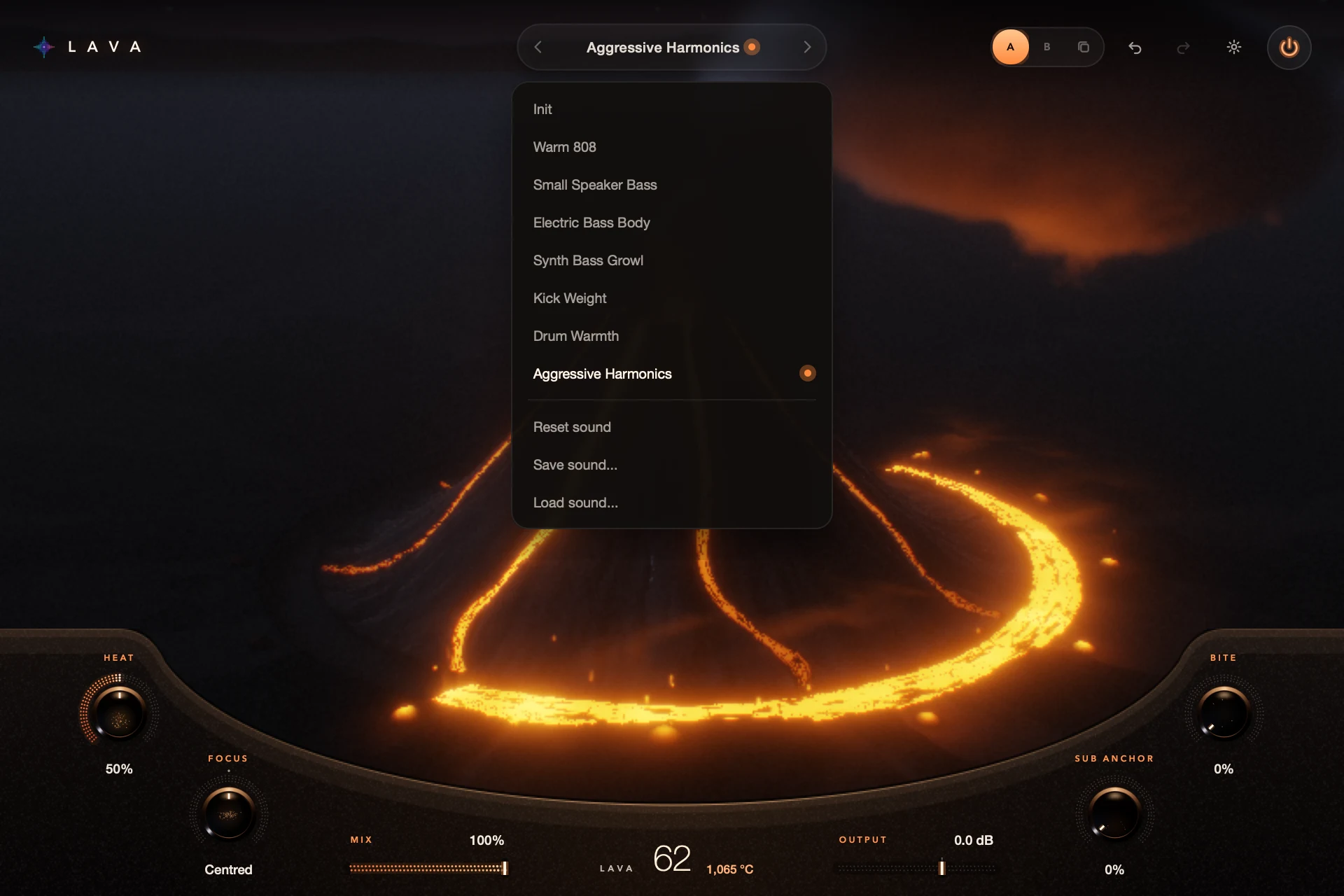
Click the sound name to choose Init or one of the seven factory sounds, then adjust and save your own. A dot shows the sound has been edited. Double-clicking the volcano resets it to that sound’s own Lava value, which isn’t always zero.
Factory sounds like Warm 808 and Small Speaker Bass are starting points for common jobs. Judge them on your own bass part.
For S9 Lava 0.1.3.
Step by step
Pick a starting sound
Use the arrows or click the sound name. Try a few while the same bass phrase plays.
Make it yours
Change what your part needs. The edited dot shows you’ve moved away from the saved sound.
Save it
Choose Save in the sound menu and give it a clear name. Load it any time.
Reset the right thing
Double-click the volcano to return to this sound’s Lava value. Use Reset in the menu or load another sound for a bigger reset. Undo reverses the last edit.
Good to know
Sounds are settings, not samples
Lava shapes the audio coming in. Loading Warm 808 doesn’t add an 808 sample.
Check which version is active
Look at the sound name and the A/B slot before you save or reset.
Every control included. No account, activation or trial limit.