Add Half-Time rhythm without changing the phrase length
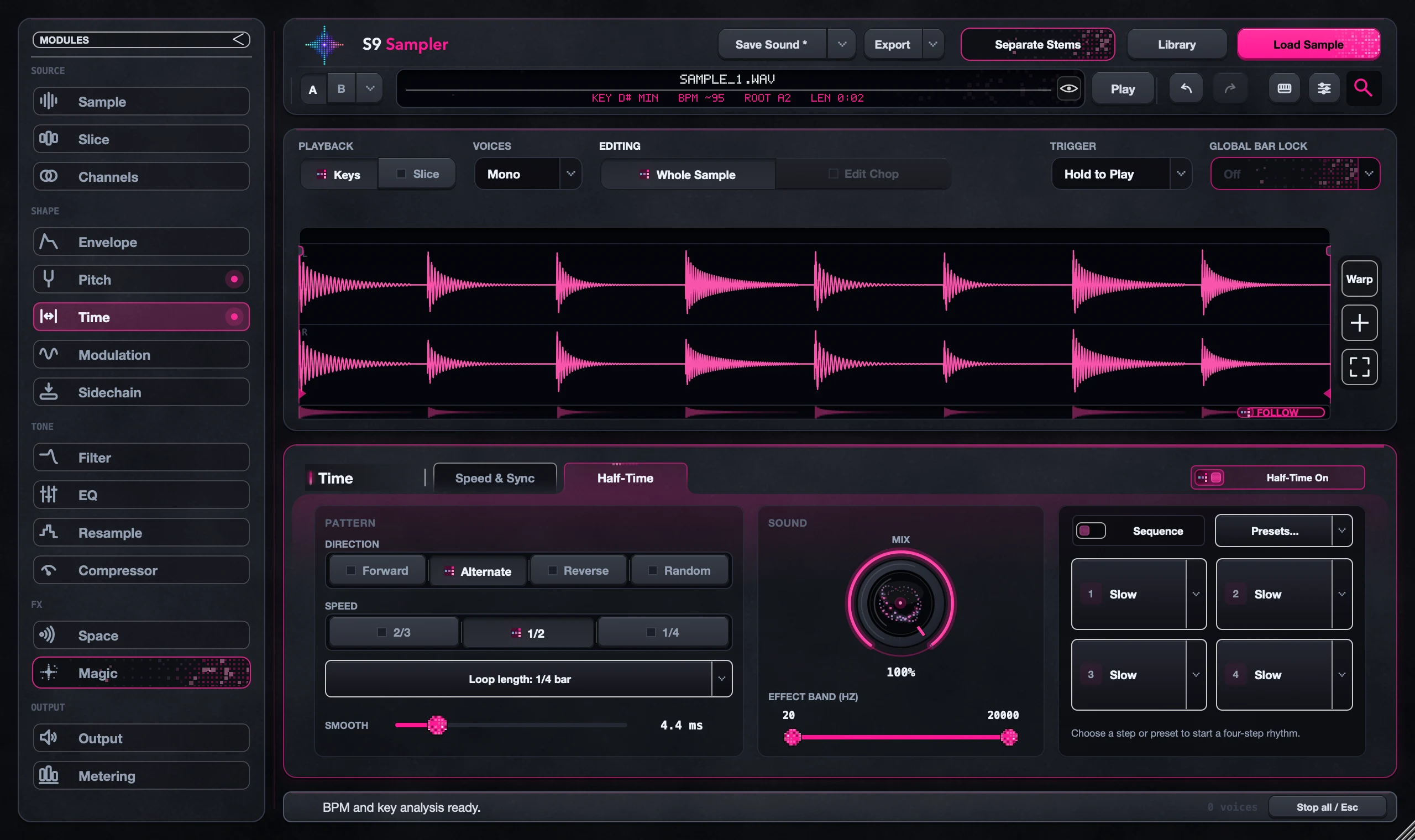
Half-Time slows the rhythm inside the sample while the sample keeps its length. Choose a speed, direction and Loop length, then use Mix to blend it with the original. Sequence plays four steps of your choice in order.
Try it when a loop already fits your song but you want a different feel inside it. Start on one Chop so you can hear exactly what changes.
For S9 Sampler 0.1.6 (paid beta). More help inside the app: Help & Shortcuts → Pitch & Time.
Step by step
Choose what to change
Pick Whole Sample, or select a Chop and choose Edit Chop. Then open Time > Half-Time.
Start simple
Turn on Half-Time and choose a speed, direction and Loop length. Play a fresh note.
Blend or sequence
Use Mix to blend with the original. For a pattern, set the four Sequence steps.
Compare
Use the On/Off switch to hear the original rhythm. Your settings stay saved.
Good to know
One Chop doesn’t change?
It may have its own Time settings. Check its Edited badge and choose Use Whole Sample for Time.
Half-Time or Bar Lock?
Bar Lock sets the total length in bars. Half-Time changes the rhythm inside it. You can use both.
7 days, all features, no card, no automatic charge.