Export a Remix as audio or MIDI: which do you need?
Choose WAV when you want the finished sound. Choose MIDI when you want the note pattern that triggers your Chops. The MIDI doesn’t contain any sound, so it needs your S9 Sampler sound to play the same Chops.
Pick by what happens next: arrange the loop, let the last effect ring out, process a dry version, or edit the notes in your DAW.
For S9 Sampler 0.1.6 (paid beta). More help inside the app: Help & Shortcuts → Remix.
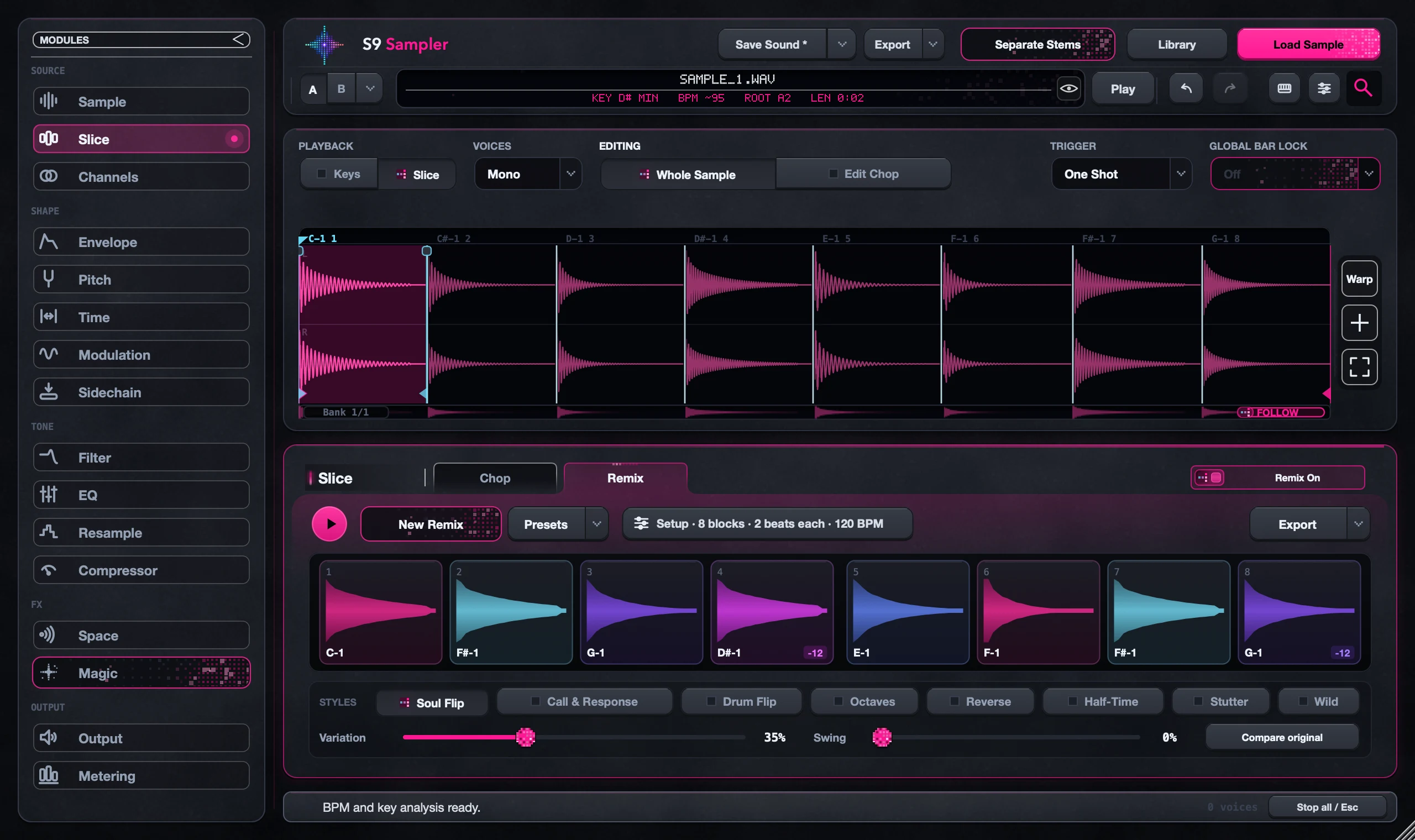
Step by step
Finish the pattern
Play the Remix at your project tempo. Save your S9 sound so its Chops are there later.
Pick an audio export
WAV loop for a clean repeat, WAV with effects tail when the end should ring, or dry WAV to process later.
Or export MIDI
Choose MIDI - Chop notes for the pattern. Play it back through the same S9 sound.
Check it in your DAW
Play the file where you’ll use it and listen to the last block and any tail.
Good to know
Two kinds of MIDI
Remix MIDI triggers your Chops. Export MIDI (Melody / Chords) turns the notes you hear in audio into MIDI.
A loop isn’t a tail
A reverb tail runs past the loop’s end. Use the plain WAV loop when it needs to repeat cleanly.
7 days, all features, no card, no automatic charge.