Why S9 Sampler’s ORBIT effect can sound narrow
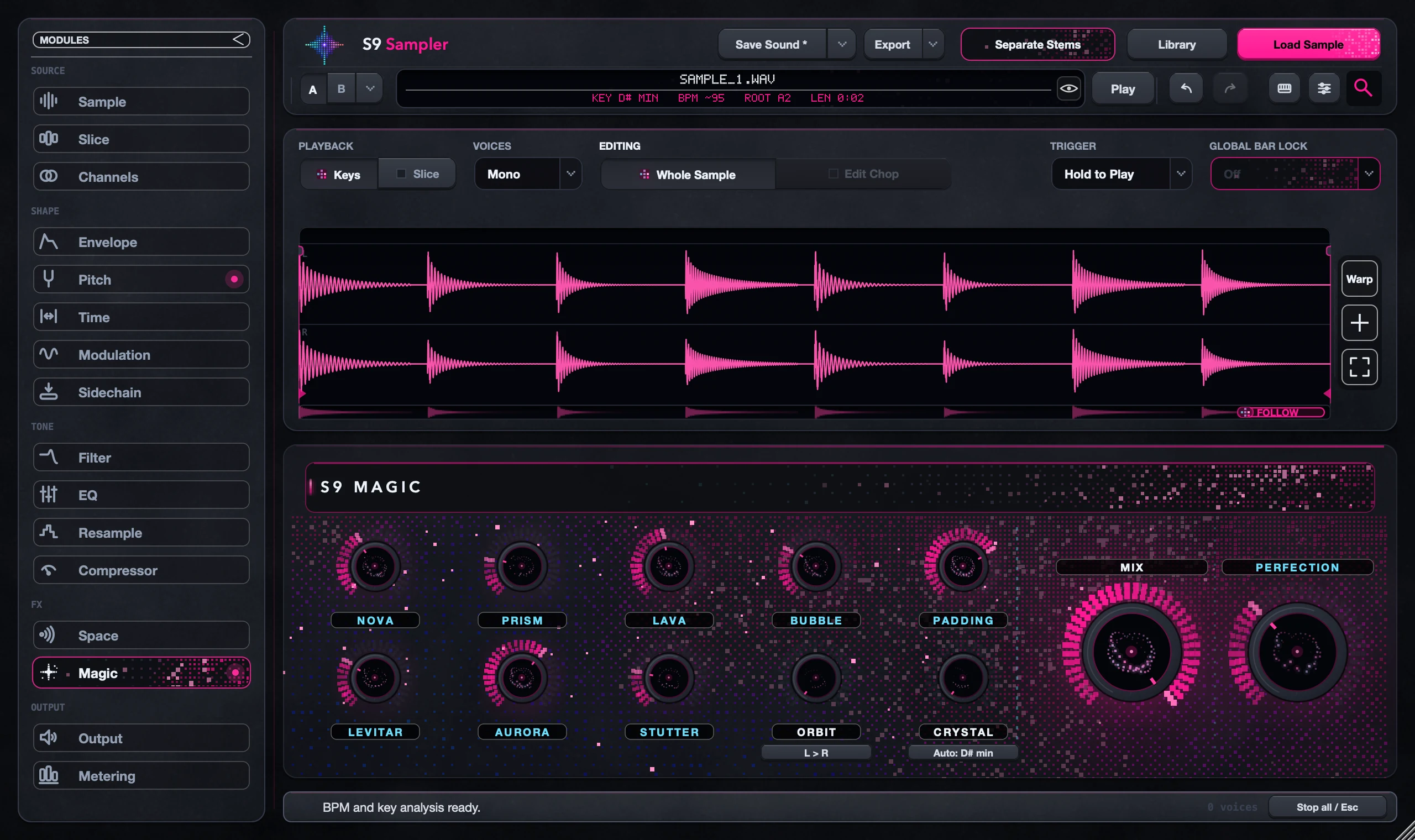
ORBIT moves the combined Magic sound around in stereo. Listen on headphones or stereo speakers. A mono output, or a mono setting further down the chain, hides the movement.
Check how you’re listening before you turn ORBIT up. More ORBIT won’t help on a mono route.
For S9 Sampler 0.1.6 (paid beta). More help inside the app: Help & Shortcuts → Effects & mixing.
Step by step
Play a longer sound
Use a phrase long enough to hear movement, and replay the same notes.
Check Magic
Open Magic and check that the effect is audible with Magic Mix. ORBIT moves the combined Magic sound, not single Chops.
Check your output
Look at Output and your DAW channel for a mono or one-sided setting. Try headphones.
Check mono too
Listen in stereo, then check that the part still works in mono. Use the amount that helps the song.
Good to know
Two Orbits
The Orbit view in Sound View only shows the left/right picture. It isn’t the Magic ORBIT effect and doesn’t move anything.
Trust your ears
A moving picture or meter can’t prove the sound reaches you in stereo. Listen.
7 days, all features, no card, no automatic charge.