Heat or Bite: choose the kind of bass edge
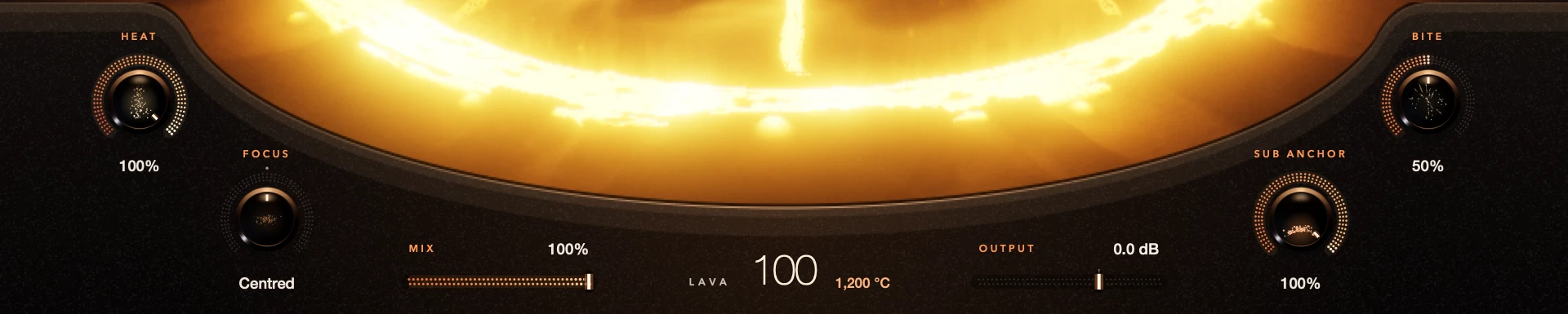
Heat changes how hard Lava’s saturation works, from warm and round to gritty. Bite adds upper edge on its own, separately from Focus. Turn Heat when the overall character needs to change; add Bite when the bass needs more edge to cut through.
Neither is a volume knob. Keep the bass playing with the rest of the song when you decide.
For S9 Lava 0.1.3.
Step by step
Set a starting point
Play a short bass phrase with the volcano high enough to hear the effect. Keep this version on A/B.
Try Heat
Move Heat with Bite and Focus left where they are. Listen to the character, not just the level.
Try Bite
Go back to your starting point and turn up Bite. Does the bass cut through better, or just sound rougher?
Balance
Keep both only if both help. Then check Mix, Output and your DAW’s meters.
Good to know
Wrong part of the sound?
If the character sits in the wrong place, try Focus. It moves the added harmonics between low weight and upper presence.
Already gritty?
Lower the volcano before adding more Bite. On a clean bass, try Heat first.
Every control included. No account, activation or trial limit.